

QuickBooks for USA E-Invoicing
Get Started
Digital Billing Across Accounting Operations
QuickBooks Integration for U.S. Finance
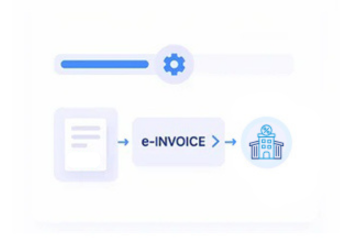
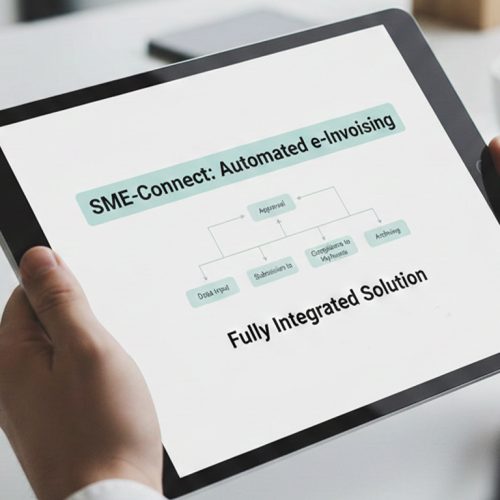
How QuickBooks Data Reaches Advintek
- QuickBooks Records Flow: Capture invoice, customer, tax, and transaction details from QuickBooks for downstream financial processing workflows.
- ERP Connection Setup: Transfer validated invoice information into connected ERP workflows without duplicating accounting data across systems.
- Rule-Based Checks: Apply configured validation rules before invoice records continue through electronic processing and ERP workflows.
- Structured Invoice Creation: Convert approved QuickBooks information into structured invoice records for connected business and finance systems.
- Status Response Handling: Return processing responses to connected workflows for visibility across accounting and ERP operations.
- Record Reconciliation Flow: Match processed invoice information with source records to support accurate financial reconciliation across systems.
What Advintek Connects for QuickBooks
Advintek connects QuickBooks with ERP, accounting, and business applications, helping invoice data move through structured workflows while maintaining financial context, validation controls, processing visibility, and digital records.
- Connect QuickBooks with enterprise finance systems
- Route invoice data through controlled integrations
- Support structured records across business applications
- Coordinate accounting and ERP data flows
Why QuickBooks Integration Across Enterprise Finance
- ERP-Ready Accounting: Connect QuickBooks records with ERP processes while preserving accounting context across integrated financial operations.
- Centralized Invoice Control: Manage invoice information through connected workflows that support review, processing, reconciliation, and financial visibility.
- Flexible Data Exchange: Exchange structured invoice data between QuickBooks, ERP applications, and downstream business systems through controlled connections.
- Exception Workflow Support: Identify incomplete or inconsistent invoice records before they affect connected accounting and enterprise processing workflows.
- Operational Reporting Visibility: Surface invoice processing information across connected systems to support finance teams with clearer operational oversight.
- IRS Record Organization: Organize electronic invoice and transaction records to support applicable IRS-related recordkeeping and financial processes.
Advanced Controls for QuickBooks Workflows
Reconciliation Matching Tools
Compare invoices with processed records to highlight differences across QuickBooks and connected ERP systems.
Integration Health Monitoring
Monitor data exchanges and processing activity across connected applications to identify workflow interruptions early.
Document Traceability Controls
Maintain traceable invoice records across source, processing, and ERP stages for stronger operational visibility.
QuickBooks for U.S. ERP Operations
Advintek supports businesses using QuickBooks alongside enterprise applications, helping accounting information participate in structured E-invoicing and broader ERP processes.
- Organizations linking finance with ERP platforms
- Finance teams managing integrated invoice operations
- Businesses requiring structured digital transaction records
- Companies coordinating distributed accounting workflows
Link Your QuickBooks Workflows With USA
Connect QuickBooks data with structured U.S. e-invoicing and ERP workflows.
Coordinate accounting across connected enterprise systems.
Ready e-Invoice System
Frequently Asked Questions QuickBooks e-Invoicing in USA
Can QuickBooks invoice data connect with enterprise ERP systems?
Yes. Advintek can connect relevant QuickBooks invoice and accounting data with ERP environments through structured integration workflows. Information can be mapped, validated, and transferred according to configured business requirements. This helps finance teams coordinate QuickBooks with enterprise applications while maintaining consistent transaction information across accounting, invoicing, reconciliation, and broader financial operations.
Which QuickBooks records can support e-invoicing workflows?
Relevant QuickBooks information may include invoice details, customer records, transaction data, tax information, and other required references. Advintek maps applicable information into connected electronic invoicing workflows based on the integration design. This allows businesses to maintain stronger alignment between their accounting records, ERP processes, and structured invoice processing requirements.
How does QuickBooks work with e-Invoicing Software in USA?
e-Invoicing Software in USA can connect QuickBooks accounting workflows with structured invoice processing and enterprise financial systems. Advintek can support data mapping, validation, processing, status handling, and reconciliation between connected applications. This creates a defined pathway for invoice information to move from QuickBooks into broader financial and ERP workflows.
Can Advintek coordinate QuickBooks with multiple ERP workflows?
Advintek can support integrations where QuickBooks needs to exchange financial information with multiple connected business systems. Configured workflows can manage data mapping, validation, processing responses, and reconciliation across participating applications. This is useful for organizations operating different ERP, accounting, or enterprise platforms while maintaining coordinated invoice information throughout their financial environment.
What makes e-Invoicing Solutions in USA useful for QuickBooks users?
e-Invoicing Solutions in USA can extend QuickBooks beyond standalone accounting by connecting invoice information with structured electronic processing and ERP workflows. Advintek helps coordinate these processes through controlled integrations, validation, data exchange, and record organization. The approach can also support applicable IRS-related electronic recordkeeping requirements without treating QuickBooks as the enterprise system itself.