

QuickBooks Enterprise Integration for U.S. Finance
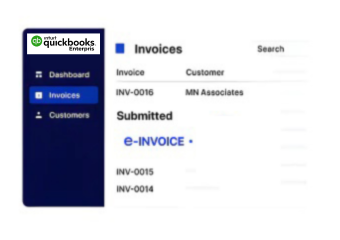
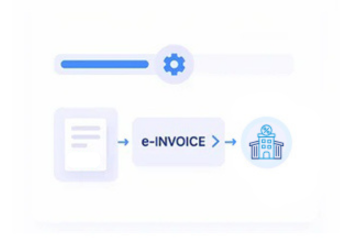
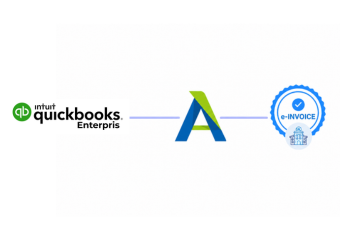
How QuickBooks Enterprise Data Flows Through Advintek
- Source Data Collection: Collect relevant company, customer, item, invoice, and transaction information from QuickBooks Enterprise environments.
- Entity Mapping Setup: Map Enterprise records according to entity, department, customer, and ERP integration requirements.
- Financial Data Review: Check invoice information against configured business rules before electronic processing begins.
- Structured Record Creation: Prepare validated Enterprise information as structured invoice records for connected finance workflows.
- Enterprise Status Exchange: Share processing responses with connected systems for operational visibility and workflow coordination.
- Cross-System Reconciliation: Compare Enterprise source information against processed records to identify discrepancies across connected financial environments.
What Advintek Adds to QuickBooks Enterprise
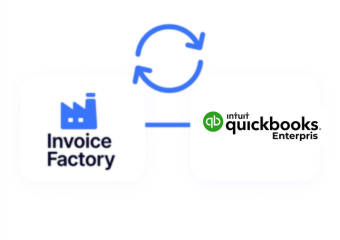
Advintek connects QuickBooks Enterprise accounting structures with ERP environments, coordinating company records, departmental transactions, invoice information, and financial data across integrated enterprise workflows.
- Map company-level records into ERP workflows
- Coordinate branch accounting with enterprise systems
- Route approved invoices across finance applications
- Reconcile entity records with processed documents
Why QuickBooks Enterprise Finance Management with Advintek
- Multi-Entity Connectivity: Coordinate information across QuickBooks Enterprise entities while connecting relevant records with broader ERP processes.
- Department Data Alignment: Link departmental financial information with enterprise workflows without losing important accounting and operational references.
- Invoice Governance Controls: Apply configured checks to invoice records before they enter downstream electronic or ERP processing.
- Financial Exception Handling: Identify incomplete or inconsistent records and direct them toward appropriate review before further processing.
- Consolidated Record Visibility: Provide connected workflows with clearer visibility across invoices, entities, departments, and financial transactions.
- IRS Record Organization: Support organized electronic financial records for applicable IRS-related recordkeeping and reporting processes.
QuickBooks Enterprise Controls for Connected Finance
Entity Reconciliation Tools
Compare records across Enterprise entities to identify differences before consolidated financial information reaches connected systems.
Workflow Audit Visibility
Trace invoice activity across integration stages to provide clearer oversight of connected enterprise processing.
ERP Synchronization Controls
Monitor exchanged information between QuickBooks Enterprise and ERP environments for consistent financial data coordination.
Created Around QuickBooks Enterprise Needs in U.S.
Advintek supports businesses using QuickBooks Enterprise with ERP and enterprise applications, connecting accounting information across structured invoicing and broader financial operations.
- Multi-entity businesses integrating enterprise accounting
- Companies connecting departments with ERP platforms
- Finance teams coordinating consolidated invoice workflows
- Organizations managing distributed financial operations
Build a Stronger Digital Billing Workflow
Extend enterprise accounting with connected U.S. e-invoicing and ERP processes.
Manage multi-entity financial data through digital workflows.
Ready e-Invoice System
Frequently Asked Questions QuickBooks Enterprise e-Invoicing USA
How can QuickBooks Enterprise integrate with ERP platforms?
QuickBooks Enterprise can participate in ERP integration workflows through structured data exchange and configured processing rules. Advintek can connect relevant company, customer, invoice, item, and transaction information with enterprise applications. This helps organizations coordinate accounting operations across multiple entities and departments while preserving the financial context required for downstream ERP and invoicing processes.
What Enterprise records can support e-Invoicing in USA?
Relevant QuickBooks Enterprise records may include invoices, customer information, item details, transaction references, tax information, and company-specific financial data. Advintek can map applicable fields into structured electronic invoicing workflows according to configured requirements. This allows Enterprise accounting information to participate in connected ERP and financial processes without unnecessary manual recreation.
Can USA e-Invoicing Software support multiple Enterprise entities?
Yes. USA e-Invoicing Software can support workflows where QuickBooks Enterprise manages accounting information across multiple companies or organizational structures. Advintek can establish configured data mappings and processing paths for relevant entities. This helps coordinate invoice information across accounting, ERP, reconciliation, and electronic processing environments while maintaining appropriate source-record relationships.
How does Advintek connect Enterprise departments with ERP workflows?
Advintek can coordinate relevant departmental accounting information with connected ERP workflows through structured integrations. Invoice and transaction data can be mapped according to business requirements before entering downstream processes. This creates clearer connections between departmental finance operations and enterprise systems while supporting validation, processing visibility, reconciliation, and controlled information exchange.
Why use e-Invoicing Solutions in USA with QuickBooks Enterprise?
e-Invoicing Solutions in USA can extend QuickBooks Enterprise into broader electronic invoice and ERP workflows. Advintek can support structured data exchange, validation, processing responses, reconciliation, and enterprise connectivity. For applicable organizations, workflows can also accommodate IRS-related electronic recordkeeping considerations while allowing Enterprise to remain part of the wider financial technology environment.