

Microsoft Power Automate E-Invoicing Capabilities in USA
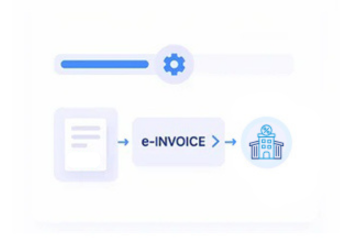
How Power Automate Sends USA Invoice Data to Advintek
- Source Record Collection: Receives invoice and transaction data from Power Automate flows and ERP, CRM, accounting, or business applications.
- Transaction Data Review: Checks invoice identifiers, billing details, line items, customer information, amounts, dates, and tax attributes before processing.
- Sales Tax Mapping: Applies configured mappings for USA sales tax information and other invoice attributes required by invoicing workflows.
- Electronic Document Structuring: Converts approved workflow data into structured invoice records for configured electronic document exchange channels.
- Exchange Result Recording: Returns delivery confirmations, acknowledgements, invoice identifiers, and processing outcomes to Power Automate workflows.
What Power Automate Covers Across USA Invoice Workflows
Advintek adds electronic invoice processing to Power Automate, supporting invoice data extraction, validation, sales tax mapping, structured documents, digital exchange, response tracking, and record reconciliation for USA workflows.
- Extract invoice data from connected applications
- Validate USA invoice information before processing
- Map sales tax and invoice details
- Exchange invoices and return processing results
Why USA Companies Choose Advintek for Digital Invoice Flows
- Existing Flow Compatibility: Works alongside configured Power Automate automations so organisations can retain established triggers, approvals, application connections, and business rules.
- Invoice Data Controls: Applies configurable checks to billing, customer, transaction, tax, payment, and reference information before electronic invoice preparation.
- Multi-Channel Exchange: Supports configured API, EDI, portal, or other electronic delivery approaches based on the connected customer, supplier, or business workflow.
- Source-to-Invoice Linking: Associates processed electronic invoice records with originating Power Automate data and related business transactions for easier reconciliation.
- Exception Visibility: Captures available processing messages, rejected records, incomplete data, and exchange responses for investigation within connected workflows.
- USA Invoice Processing: Supports electronic invoice workflows involving sales tax information, structured invoice data, digital document exchange, and applicable business requirements.
USA Tools for Microsoft Power Automate E-Invoicing
Invoice Validation Controls
Review billing, customer, line-item, amount, tax, and reference data before electronic invoice exchange.
Electronic Invoice Exchange
Support API, EDI, portal, and other digital channels for exchanging structured invoice documents.
Invoice Reconciliation Tracking
Link invoice references, exchange results, processing messages, and source transactions for reconciliation.
Microsoft Power Automate E-Invoicing Support Across USA
Advintek supports Power Automate users across the USA with electronic invoice workflows covering invoice preparation, sales tax information, structured documents, digital exchange, status updates, and source-record reconciliation.
- Support USA e-invoice automation workflows
- Connect ERP with business applications
- Prepare structured digital invoice records
- Handle configured USA sales tax information
Connect Power Automate to USA E-Invoice Workflows
Extend Power Automate for USA invoice preparation, exchange, validation, and response tracking.
Integrate Microsoft Power Automate with Advintek for USA electronic invoicing.
Ready e-Invoice System
FAQs About Power Automate e-Invoicing in USA
How does Microsoft Power Automate work with USA e-invoicing?
Advintek connects Microsoft Power Automate flows with an electronic invoicing layer that can receive configured invoice data, validate relevant fields, map sales tax information, prepare structured invoice records, and manage available exchange responses. Power Automate can continue handling existing workflow automation while Advintek manages configured electronic invoice activities.
Which Power Automate information can be used for USA electronic invoices?
Depending on the connected application and workflow, Advintek can process selected customer, supplier, invoice, product or service, quantity, amount, payment, transaction, tax, sales tax, and reference information. These fields can be mapped into configured electronic invoice structures for downstream processing and exchange.
Does USA e-invoicing require sales tax information?
Sales tax treatment can vary by transaction, customer location, product or service, and applicable jurisdiction. Advintek can map configured sales tax attributes from Power Automate-connected business systems into electronic invoice records according to the organisation’s defined invoicing and tax-data requirements.
Can existing Power Automate flows remain in place after integration?
Yes. Power Automate can continue managing existing triggers, approvals, application connections, notifications, and business-process automation. Advintek can function as an additional electronic invoicing layer that receives selected workflow data for validation, document preparation, exchange, response handling, and reconciliation.
Why connect Power Automate with electronic invoicing software in USA?
Connecting Power Automate with electronic invoicing software can add dedicated invoice validation, structured document preparation, sales tax data mapping, digital exchange, response tracking, and reconciliation capabilities. Advintek connects these activities with Power Automate and related business applications for configured USA electronic invoicing workflows.