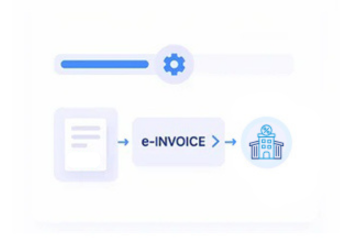


Microsoft Dynamics 365 Commerce Across Connected ERP Workflows
How Microsoft Dynamics 365 Commerce Transactions Reach Advintek
- Order Data Collection: Gather retail orders, customer details, products, pricing, fulfillment, and transaction information from Microsoft Dynamics 365 Commerce.
- Transaction Context Review: Examine order references, customer information, product details, discounts, taxes, and financial attributes before processing.
- Invoice Record Construction: Transform approved Commerce information into structured electronic invoice records for downstream processing and exchange.
- ERP Finance Coordination: Connect invoice information with accounting, receivables, inventory, and broader enterprise financial workflows.
- Order Invoice Comparison: Compare processed invoices against originating orders to identify differences across commercial and financial information.
- Financial Document Preservation: Retain invoice records with order and transaction references for reporting, review, and documentation purposes.
What Does Advintek Connect in Microsoft Dynamics 365 Commerce
Advintek connects Microsoft Dynamics 365 Commerce orders, customers, products, inventory, fulfillment, pricing, and financial information across structured invoice workflows.
- Connect orders with customer accounts
- Relate products with invoice lines
- Associate fulfillment with transaction records
- Match discounts with billing details
Why Retail Finance Value Through Microsoft Dynamics 365 Commerce
- Order Lifecycle Management: Connect retail orders with invoice records while preserving relationships across customer, fulfillment, and financial processes.
- Customer Revenue Tracking: Associate customer purchasing activity with billing and receivable information for clearer financial transaction context.
- Inventory Finance Coordination: Relate fulfillment and inventory activity to commercial transactions supporting connected retail accounting workflows.
- Pricing Accuracy Controls: Preserve product, quantity, discount, and pricing information across invoice preparation and financial documentation.
- Omnichannel Commerce Coordination: Connect store and digital commerce transactions with common financial processes across enterprise retail operations.
- Transaction Traceability Management: Maintain relationships between originating Commerce transactions and processed invoices for investigation and financial reporting.
Microsoft Dynamics 365 Commerce Controls for Retail Finance
Order Margin Analysis
Analyze order-level revenue, discounts, products, and transaction relationships across connected retail financial records.
Fulfillment Revenue Review
Examine fulfillment activity against sales transactions to identify inconsistencies before financial processing.
Channel Transaction Analysis
Compare store and digital commerce activity across orders, customers, products, and financial records.
Microsoft Dynamics 365 Commerce Across U.S. Retail
Microsoft Dynamics 365 Commerce connects retail, digital commerce, merchandising, inventory, order fulfillment, customer engagement, and financial operations across unified business processes.
- Retailers coordinating stores with finance
- Enterprises managing omnichannel order accounting
- Brands integrating fulfillment with billing
- Commerce teams connecting inventory with ERP
Strengthen Your Retail Billing Operations
Connect Microsoft Dynamics 365 Commerce with U.S. e-invoicing and finance.
Align retail accounting through connected workflows.
Ready e-Invoice System
FAQs About Microsoft Dynamics e-Invoicing USA
Which Microsoft Dynamics 365 Commerce data can flow into invoice records?
Sales transactions can supply customer accounts, order numbers, product lines, quantities, prices, discounts, taxes, payment details, and fulfillment references. Advintek can organize the relevant Microsoft Dynamics 365 Commerce data for electronic invoice processing while retaining links to the original transaction, supporting accurate billing and financial record management.
How are returns and refunds reflected in invoice workflows?
Return transactions and refund information can be associated with their original Microsoft Dynamics 365 Commerce orders and customer records. Advintek can carry relevant references into invoice processing, helping distinguish adjustments from standard sales activity. This allows finance teams to maintain clearer relationships between original invoices, returned items, credit activity, and accounting records.
What happens when Microsoft Dynamics 365 Commerce invoice data needs correction?
Incorrect or incomplete transaction information can be identified through configured validation and processing checks before an invoice is finalized. Advintek can flag applicable exceptions, retain source references, and support corrected data through the workflow, giving finance teams greater visibility into issues involving customers, products, pricing, taxes, or transaction totals.
Can Microsoft Dynamics 365 Commerce support revenue and receivables reconciliation?
Revenue and receivable information can be compared with processed invoice records to maintain relationships between retail transactions and accounting activity. Advintek can connect order, customer, payment, and financial references, helping teams review differences between Microsoft Dynamics 365 Commerce transactions, issued invoices, and corresponding accounting entries.
How can U.S. e-Invoicing Solutions work across Microsoft Dynamics 365 Commerce channels?
U.S. e-Invoicing Solutions can process transaction information originating from stores, online commerce, and other connected retail channels. Advintek can bring these records into structured invoice workflows while preserving channel, order, customer, and financial references, supporting centralized processing and review across broader Microsoft Dynamics 365 Commerce operations.