

Epicor Kinetic Invoice Capabilities in the USA
How Epicor Kinetic Organizes USA Invoice Data
- Source Record Identification: Select applicable Kinetic orders, invoices, customers, products, shipments, and financial records for electronic processing.
- Customer Data Mapping: Transfer relevant customer names, addresses, account identifiers, billing details, and business references into configured invoice fields.
- Product Line Preparation: Arrange item descriptions, quantities, units, prices, discounts, and taxable values for electronic document creation.
- Tax Information Processing: Organize applicable sales tax amounts and related transaction attributes within the configured invoice structure.
- Electronic Document Exchange: Send prepared invoice information through supported electronic exchange, EDI, or other configured business document channels.
What Advintek Adds to Epicor Kinetic Invoicing in the USA
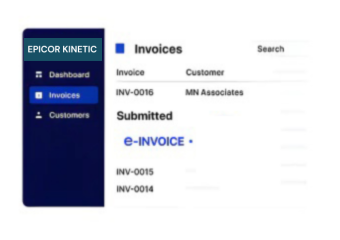
Advintek provides an external e-invoicing layer around Epicor Kinetic, connecting sales transactions, customer records, product information, shipment references, sales tax data, invoice documents, payment details, and reconciliation activities.
- Map Kinetic Transactions Into Electronic Invoice Fields
- Organize Sales Tax And Billing Information
- Associate Invoices With Order References
- Track Electronic Document Exchange Activity
Why Epicor Kinetic Users Include Advintek in USA E-Invoicing
- Order-To-Invoice Association: Maintains relationships between Kinetic sales orders, invoice documents, shipment records, and related transaction references.
- Customer Account Coordination: Carries applicable customer account, billing, contact, and address information into configured electronic invoice records.
- Product Line Accuracy: Preserves item codes, descriptions, quantities, units, pricing, discounts, and other line-level billing information during processing.
- Sales Tax Organization: Records applicable taxable amounts, sales tax values, and supporting transaction information within the configured invoicing workflow.
- Receivable Reference Linking: Connects invoice information with payment terms, accounts receivable references, and financial records for reconciliation.
- Invoice Exchange Monitoring: Tracks electronic document delivery, acknowledgements, rejected records, exceptions, and processing responses across supported exchange channels.
Epicor Kinetic Electronic Invoice Tools for USA Businesses
Invoice Field Mapping
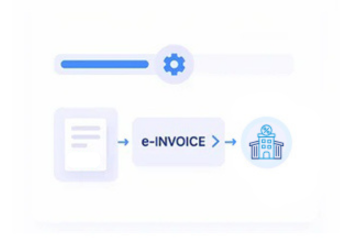
Map Kinetic customer, product, order, tax, payment, and billing data into electronic invoice structures.
Order Invoice Matching
Link electronic invoices with sales orders, shipment references, purchase orders, and Kinetic transactions.
Exchange Status Review
Track invoice delivery, acknowledgements, rejected documents, processing messages, and exceptions across exchanges.
Epicor Kinetic Invoice Processing Across the USA
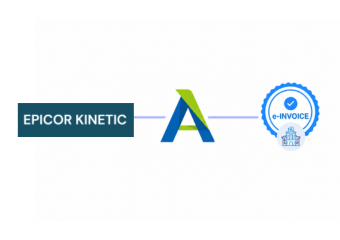
Advintek connects Epicor Kinetic manufacturing, distribution, sales, inventory, and accounting records with USA electronic invoicing workflows, coordinating orders, customers, products, shipments, sales tax, invoices, payments, and financial references.
- Keep Epicor Kinetic As The Primary ERP
- Link Sales Orders With E-Invoice Records
- Coordinate Sales Tax And Payment References
- Review Electronic Invoice Exchange Processing Results
Electronic Invoicing for Epicor Kinetic in the USA
Coordinate customer, order, product, shipment, tax, invoice, and payment data electronically.
Process Kinetic Billing Records Through Configured USA E-Invoice Channels.
Ready e-Invoice System
Frequently Asked Questions About Epicor Kinetic ERP E-Invoicing in USA
How can Epicor Kinetic connect with USA electronic invoicing?
Advintek can connect selected Epicor Kinetic transaction information with an external electronic invoicing layer for USA business workflows. Depending on the configured process, customer records, sales orders, product lines, shipment information, sales tax values, invoice details, payment references, and accounting data can be mapped into structured electronic invoice documents.
What Epicor Kinetic information can be used for USA e-invoices?
Relevant Kinetic information can include customer and billing details, sales order numbers, product codes, descriptions, quantities, prices, discounts, shipment references, taxable amounts, sales tax values, invoice numbers, payment terms, and transaction identifiers. Selected fields can be mapped into the electronic invoice format required by the connected business workflow.
Can Epicor Kinetic support sales tax information for electronic invoices?
Yes. Applicable Kinetic transaction information can be used to organize taxable amounts, sales tax values, invoice totals, customer details, and related billing references. The exact tax fields and processing requirements depend on the transaction, applicable jurisdiction, customer requirements, and configured electronic invoicing workflow.
Can Epicor Kinetic remain the primary ERP after e-invoicing integration?
Yes. Epicor Kinetic can continue managing manufacturing, inventory, sales, purchasing, customer, shipment, billing, and financial processes. Advintek can operate as an external electronic invoicing layer that receives selected ERP information for invoice preparation, document exchange, status tracking, and reconciliation without replacing the underlying Kinetic environment.
What does electronic invoicing add around Epicor Kinetic?
An electronic invoicing layer can provide structured invoice preparation, customer and product field mapping, sales tax data organization, order and shipment association, electronic document exchange, acknowledgement tracking, exception review, payment reference linking, and invoice reconciliation around Epicor Kinetic. This supports electronic billing workflows while keeping core ERP transactions within Kinetic.