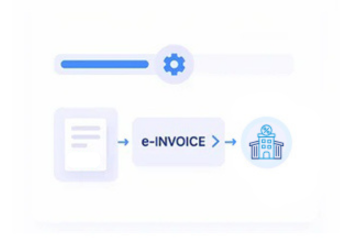


Sales Data Across Connected Finance Workflows
How Dynamics 365 Sales Data Flows
- Customer Data Collection: Gather customer accounts, opportunities, orders, products, pricing, and sales information from Dynamics 365 Sales.
- Sales Transaction Review: Examine customer references, order details, product information, and financial attributes before invoice preparation begins.
- Invoice Data Assembly: Convert approved sales information into structured invoice records for electronic processing and exchange.
- Accounting Workflow Coordination: Connect invoice information with receivables, accounting systems, and related enterprise finance processes.
- Transaction Relationship Checks: Compare invoice records with originating sales transactions to identify inconsistencies across connected financial information.
- Processed Record Preservation: Retain invoice documents alongside customer and transaction references for reporting and financial documentation purposes.
What Does Advintek Connect in Dynamics Sales
Advintek connects customer, opportunity, order, product, pricing, revenue, and financial information across structured invoice workflows and connected accounting processes.
- Associate customer profiles with sales records
- Relate opportunities to relevant commercial transactions
- Map product details to invoice information
- Reconcile orders with related financial records
Why Business Value Across Sales Operations
- Customer Finance Context: Connect customer relationships with billing information to provide stronger financial context across sales operations.
- Order Billing Continuity: Relate sales orders to invoice records while preserving transaction references throughout connected financial workflows.
- Revenue Visibility: Associate revenue-related information with originating sales activity for clearer accounting and financial review.
- Product-Level Accuracy: Maintain product, quantity, and pricing information across invoices for more consistent transaction documentation.
- Receivable Coordination: Connect sales-generated invoice information with receivables and accounting processes across enterprise finance environments.
- Sales Record Traceability: Preserve relationships between CRM transactions and processed invoices for investigation, reporting, and financial documentation.
Dynamics 365 Sales Finance Controls
Revenue Pattern Analysis
Analyze sales and revenue relationships across customers, products, orders, and connected financial records.
Pipeline Transaction Review
Examine commercial activity alongside transaction information before related billing enters downstream finance workflows.
Order Billing Exceptions
Identify differences between sales orders, customer details, invoice information, and accounting records efficiently.
Dynamics 365 Sales Across U.S. Businesses
Microsoft Dynamics 365 Sales supports customer relationships, opportunities, accounts, products, sales activities, and revenue-focused processes that can connect with broader enterprise finance operations.
- Distributors coordinating sales with accounting
- Manufacturers linking orders with finance
- Enterprises managing customer revenue workflows
- Sales teams connecting CRM with ERP
Activate Connected Sales Finance
Connect Dynamics 365 Sales with U.S. e-invoicing and finance.
Coordinate sales accounting through connected workflows.
Ready e-Invoice System
FAQs About Microsoft Dynamics e-Invoicing in USA
Can Dynamics 365 Sales orders support electronic invoicing?
Dynamics 365 Sales order information can provide valuable transaction context for invoice preparation, including customer, product, quantity, pricing, and commercial details. Advintek can connect applicable sales information with structured invoice workflows while preserving relationships with originating records. This helps organizations coordinate customer billing, receivables, accounting, and electronic document processing through connected enterprise systems.
What customer information can support invoice processing?
Customer accounts in Dynamics 365 Sales can provide identifying and commercial information associated with sales transactions. Advintek can map relevant customer details into invoice workflows and associate them with originating orders or billing records. This allows finance teams to maintain stronger relationships between customer management, sales activity, receivables, and electronic financial documents.
How can product and pricing data remain connected?
Product references, quantities, pricing information, and related sales details can be associated with invoice records during processing. Advintek can preserve these relationships when transferring applicable Dynamics 365 Sales information into electronic invoice workflows. This helps finance and sales teams review invoice details against the commercial transaction that originally generated the billing activity.
Where can e-Invoicing Software in USA complement Dynamics 365 Sales?
e-Invoicing Software in USA can complement Dynamics 365 Sales by providing structured electronic invoice preparation, validation, processing, and document exchange around existing sales workflows. Advintek connects applicable CRM information with downstream financial processes while preserving source relationships. Applicable IRS-related recordkeeping considerations can also be addressed within the broader invoice documentation process.
How can e-Invoicing Solutions in USA support Dynamics 365 Sales?
e-Invoicing Solutions in USA can connect Dynamics 365 Sales with accounting, receivables, customer billing, and structured electronic invoice workflows. Advintek can help coordinate sales transactions, customer records, product information, and financial references while supporting invoice review and reconciliation. This gives organizations a connected approach to managing sales-originated financial documents across enterprise systems.