

Infor M3 E-Invoicing Functions for USA Operations
How Infor M3 Records in USA E-Invoicing Workflows
- Invoice Record Collection: Retrieves relevant M3 billing, customer, product, sales order, amount, tax, and payment information for processing.
- Business Partner Validation: Checks customer identifiers, billing information, account references, and required trading-partner fields before document creation.
- Line-Level Data Mapping: Structures products, quantities, prices, discounts, tax values, and invoice amounts according to configured document requirements.
- Electronic Document Generation: Converts applicable M3 transaction information into structured invoice documents for selected customers, networks, EDI providers, or APIs.
- Exchange Response Association: Records delivery statuses, acknowledgements, validation messages, and exceptions against corresponding M3 invoice transactions.
What Infor M3 Connector Capabilities for USA E-Invoicing
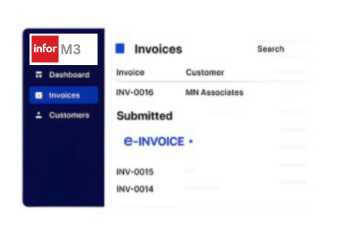
Advintek provides an external electronic invoicing layer around Infor M3, connecting billing, sales, customer, product, order, tax, payment, and financial information with configured document exchange and reconciliation processes.
- Connect M3 Billing Records With Invoice Networks
- Map Product And Pricing Data Into Documents
- Associate Customer References With Invoice Transactions
- Track Electronic Invoice Processing Responses
Why Choose Advintek for Infor M3 USA E-Invoicing
- Accounts Receivable Connectivity: Connects M3 billing and receivables information with electronic invoice workflows while keeping source transaction records within the ERP.
- Trading Partner Mapping: Supports customer-specific invoice fields, identifiers, document structures, purchase order references, and exchange requirements.
- Sales Tax Information: Organizes applicable USA sales tax fields, taxable values, tax amounts, and configured jurisdictional information for invoice processing.
- Invoice Number Control: Carries invoice numbers, dates, transaction identifiers, and related references into electronic documents for traceability.
- Payment Term Coordination: Includes payment terms, due dates, payment references, and other configured settlement information in invoice workflows.
- Exception And Response Review: Captures rejected documents, validation messages, delivery responses, and processing exceptions for finance and accounts receivable review.
Infor M3 E-Invoicing Tools for USA Businesses
Invoice Field Mapping
Map M3 customer, billing, item, tax, payment, and transaction fields for electronic invoices.
Partner Setup Control
Configure partner formats, identifiers, invoice rules, and EDI, API, or network exchange settings.
Response Status Monitor
Review acknowledgements, validation results, rejections, delivery statuses, and processing exceptions.
Infor M3 Electronic Invoicing Support Across USA
Advintek connects Infor M3 manufacturing, sales, distribution, and financial data with USA electronic invoicing, coordinating customer, product, order, invoice, sales tax, payment, and transaction reference information across configured workflows.
- Connect M3 Billing With USA Invoice Workflows
- Coordinate Order And Invoice References
- Organize Tax And Payment Information
- Monitor Electronic Document Processing Results
Connect M3 Billing Data With Electronic Invoice Exchange
Connect Infor M3 billing information with configured USA electronic invoicing workflows.
Support Infor M3 Electronic Invoice Processing in USA. Supported by Advintek.
Ready e-Invoice System
FAQs About Infor M3 E-Invoicing in USA
What does Advintek connect within Infor M3 for USA e-invoicing?
Advintek connects selected Infor M3 billing, customer, sales order, product, pricing, tax, payment, and financial information with an external electronic invoicing layer. Configured ERP fields can be mapped into structured invoice documents, followed by document exchange, response capture, exception handling, and reconciliation with originating M3 transactions.
Which Infor M3 data can be used for USA electronic invoices?
Depending on the configured workflow, relevant M3 data may include customer names and addresses, account identifiers, invoice numbers, sales orders, purchase order references, products, quantities, unit prices, discounts, invoice totals, sales tax information, payment terms, due dates, and transaction references.
Can Infor M3 support EDI and API-based electronic invoice exchange?
Yes. Infor M3 invoice information can be connected with configured EDI, API, XML, network, or other electronic document exchange methods. Advintek can support field mapping, document preparation, transmission coordination, acknowledgement capture, validation responses, and exception processing based on the selected exchange arrangement.
How are USA sales tax details handled in Infor M3 e-invoicing?
Configured invoice workflows can carry applicable sales tax information from M3, including taxable amounts, tax values, tax codes, and other required tax-related fields. The exact information exchanged depends on customer requirements, transaction circumstances, applicable jurisdictional rules, and the configured electronic invoice format.
Can Infor M3 remain the source ERP after e-invoicing integration?
Yes. Infor M3 can continue handling manufacturing, sales, inventory, order management, distribution, accounts receivable, and financial activities while Advintek provides an external electronic invoice processing layer. Processed documents and responses can remain associated with corresponding M3 transactions for reconciliation and review.