

QuickBooks Desktop Integration for U.S.A Finance
How QuickBooks Desktop Data Integrates
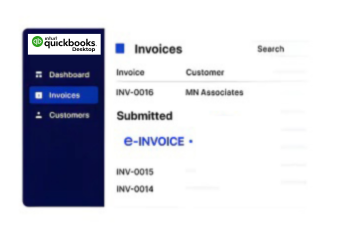
- Capture Desktop Records: Extract invoice, customer, item, and transaction information from QuickBooks Desktop for structured downstream processing.
- Prepare Data Mapping: Map relevant desktop fields into configured ERP and electronic invoicing workflows without duplicating source records.
- Apply Validation Rules: Check required invoice information against configured business rules before records continue through connected enterprise processes.
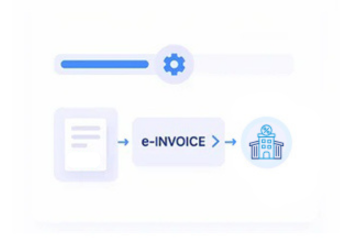
- Create Structured Records: Transform approved accounting information into structured invoice records suitable for integrated financial and ERP workflows.
- Manage Processing Status: Return processing responses to connected applications so finance teams can monitor invoice workflow progress.
- Complete Record Matching: Reconcile processed invoice information against QuickBooks Desktop source records for consistent financial control.
What Advintek Adds to QuickBooks Desktop
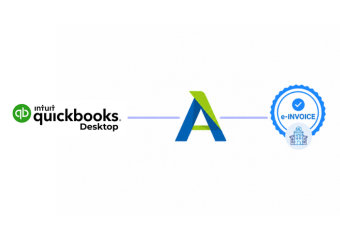
Advintek connects QuickBooks Desktop accounting records with ERP environments, organizing invoice data, customer information, transaction details, and financial records across integrated business workflows.
- Extract desktop records for ERP workflows
- Align accounting data with enterprise systems
- Route invoice information through connected applications
- Reconcile processed records against source transactions
Why Advintek Supports QuickBooks Desktop Invoice Management
- Desktop Data Control: Maintain source accounting context while transferring relevant records into connected ERP and electronic invoice workflows.
- ERP Process Alignment: Coordinate QuickBooks Desktop information with enterprise finance processes through structured integration and controlled data exchanges.
- Invoice Review Support: Route invoice records through configured checks before they reach downstream processing and enterprise applications.
- Exception Resolution: Identify incomplete invoice information and direct exceptions toward appropriate review before further financial processing occurs.
- Reconciliation Visibility: Compare processed records with source transactions to support clearer reconciliation across connected accounting environments.
- IRS Record Support: Organize electronic accounting records within workflows supporting applicable IRS-related recordkeeping requirements for business transactions.
Advanced QuickBooks Desktop Integration Controls
Integration Activity Monitoring
Monitor integration activity across QuickBooks Desktop and connected ERP systems for reliable data exchange.
Transaction Comparison Tools
Compare source and processed records to identify discrepancies across accounting and enterprise workflows.
Invoice Lineage Tracking
Track invoice lineage from desktop accounting records through validation and downstream processing stages.
QuickBooks Desktop for U.S. ERP
Advintek supports organizations using QuickBooks Desktop alongside enterprise applications, helping accounting information participate in structured invoicing and broader ERP processes.
- Businesses connecting desktop accounting with ERP
- Finance teams managing integrated invoice operations
- Organizations coordinating distributed accounting environments
- Companies requiring structured digital transaction records
Link Your Quickbooks Deskstop Workflows
Align QuickBooks Desktop with structured U.S. e-invoicing and ERP workflows.
Coordinate accounting across connected enterprise systems.
Ready e-Invoice System
Frequently Asked Questions QuickBooks Desktop e-Invoicing in USA
What happens when QuickBooks Desktop is connected to an ERP?
QuickBooks Desktop can remain the source for core accounting information while Advintek provides a connection to ERP and other business applications. Relevant records can move through configured extraction, transformation, validation, and routing steps, allowing invoice-related information to participate in broader financial workflows without changing the underlying desktop accounting setup.
Which QuickBooks Desktop information can be used for electronic invoices?
Invoice numbers, customer accounts, products, services, quantities, prices, discounts, tax information, payment terms, transaction dates, and related references may contribute to an electronic invoice workflow. Advintek can select applicable records from the available accounting data, organize them into the required structure, and prepare them for downstream processing based on configured business requirements.
Can USA E-Invoicing Software work alongside QuickBooks Desktop?
A business does not necessarily need to replace QuickBooks Desktop to introduce electronic invoice processing. Advintek can act as an integration layer that receives relevant accounting information, applies configured checks and transformations, and prepares invoice data for connected systems. This allows USA E-Invoicing Software workflows to operate alongside established desktop accounting processes.
How are invoice records matched with QuickBooks Desktop transactions?
Once invoice processing takes place, relevant identifiers and transaction details can be used to associate downstream records with their original QuickBooks Desktop entries. Advintek can support comparisons involving invoice values, customer information, tax details, references, and processing results, helping finance teams identify exceptions and maintain connected accounting records.
What can businesses gain from QuickBooks Desktop e-invoicing integration?
Extending QuickBooks Desktop with Advintek can bring invoice preparation, validation, electronic processing, status monitoring, and record organization into a connected workflow. For businesses using E-Invoicing Solutions in USA, this approach can reduce duplicate data handling while preserving existing accounting records and supporting integration with ERP, finance, and other operational systems.