

Compliance Built Around Microsoft Power Apps Workflows
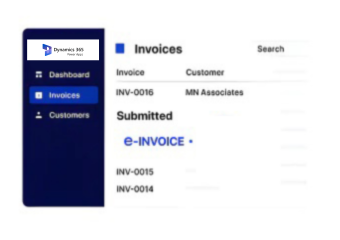
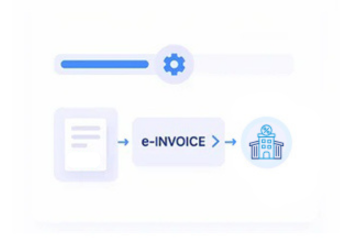
How Microsoft Power Apps Data Flows Through Advintek
- Capture Business Data: Capture relevant application records and transaction details before entering electronic invoicing workflows.
- Validate Source Records: Review customer, transaction, account, and reference information before creating structured invoice records.
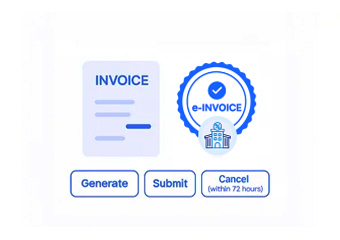
- Structure Invoice Data: Transform validated application information into invoice records while preserving important source relationships.
- Connect ERP Finance: Route structured invoice information toward accounting and ERP applications through integrated workflows.
- Reconcile Financial Entries: Compare invoice records against originating application transactions and corresponding ERP accounting entries.
- Archive Invoice Evidence: Organize invoice documentation with source references for financial review, reconciliation, and recordkeeping.
What Does Advintek Connect Within Microsoft Power Apps
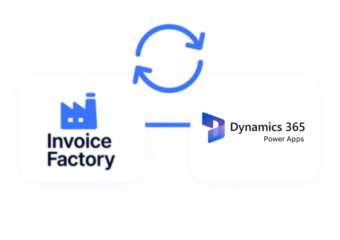
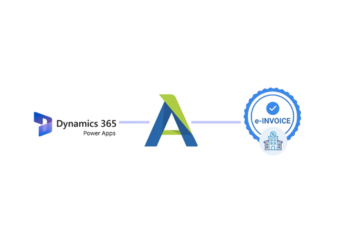
Advintek integrates Microsoft Power Apps data with Dataverse, ERP finance, customer records, operational transactions, and structured electronic invoicing processes.
- Integrate ERP ledgers with application records
- Associate financial accounts with customer profiles
- Map invoice records to Dataverse transactions
- Follow billing data across connected systems
Why Microsoft Power Apps Users Connect with Advintek
- Application Data Integration: Connect Microsoft Power Apps records with ERP finance processes while preserving transaction details.
- ERP Account Coordination: Align customer and account information between business applications and connected financial systems.
- Transaction Visibility Support: Provide clearer relationships between application activity, invoice records, and downstream accounting transactions.
- Finance Workflow Continuity: Coordinate application-generated financial information across invoicing, accounting, reconciliation, and review processes.
- Invoice Reconciliation Support: Compare electronic invoices with originating records and ERP financial entries for review.
- Structured Record Organization: Organize invoice documentation alongside application and ERP references for consistent financial record management.
Complete Support for USA E-Invoicing
Dataverse Activity Monitoring
Monitor Dataverse-driven activity supporting invoice preparation and connected ERP financial processing workflows.
Application Exception Review
Review application integration exceptions affecting invoice creation, accounting synchronization, and downstream finance processes.
Finance Data Traceability
Track financial information from Microsoft Power Apps transactions through connected ERP accounting environments.
Microsoft Power Apps Across U.S. ERP Operations
Advintek helps Microsoft Power Apps users extend application data into ERP environments, connecting finance, accounting, invoicing, and operational reporting workflows.
- Enterprises linking Power Apps with ERP finance
- Finance departments managing app-generated transactions
- Organizations connecting Dataverse with accounting platforms
- Businesses aligning operational data with financial systems
U.S. E-Invoicing Requires Invoice Processing
Connect Microsoft Power Apps with U.S. e-invoicing and ERP finance.
Coordinate application finance across connected workflows.
Ready e-Invoice System
FAQs About Power Apps e-Invoicing in USA
What Microsoft Power Apps data can enter E-invoice workflows?
Microsoft Power Apps can manage application records containing customer details, transaction information, product or service data, account references, and other business information relevant to invoicing. When connected with Dataverse and ERP systems, Advintek can map appropriate records into structured invoice workflows while maintaining relationships with the originating application and financial transactions.
How does Microsoft Power Apps connect with ERP accounting systems?
Microsoft Power Apps can exchange business information with ERP accounting environments through connected applications, Dataverse data, APIs, or configured integration workflows. Advintek can transform relevant application records into structured financial information, allowing accounting systems to receive invoice-related data while preserving customer, transaction, and source references needed for reconciliation and financial review.
Can Dataverse records support USA e-Invoicing processes?
Dataverse records can provide structured business information for connected e-invoicing workflows when the required fields and relationships are available. Advintek can retrieve relevant Dataverse information, validate transaction details, prepare electronic invoice records, and connect them with ERP finance systems. This supports a controlled flow from application activity into financial processing.
Where does e-Invoicing Software in USA fit with Microsoft Power Apps?
E-Invoicing Software in USA can operate alongside Microsoft Power Apps by receiving relevant application and Dataverse information for structured invoice processing. Advintek supports data validation, invoice preparation, ERP integration, reconciliation, and financial record organization. This allows organizations to connect business applications with electronic invoicing without separating invoice activity from the ERP finance environment.
How do e-Invoicing Solutions in USA support Microsoft Power Apps?
E-Invoicing Solutions in USA can connect Microsoft Power Apps data with ERP accounting, invoice processing, reconciliation, and financial documentation workflows. Advintek can organize application-generated transactions into structured invoice records while preserving source relationships. Applicable IRS-related recordkeeping considerations can also be supported through organized electronic records connected with underlying business transactions.