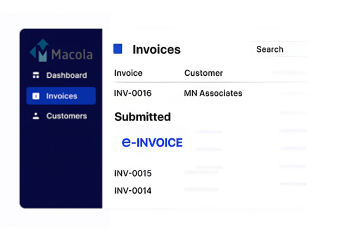


USA E-Invoice Management for Macola ERP Users
How Macola ERP Supports USA E-Invoice Processing
- Transaction Data Capture: Gather invoice, customer, item, tax, payment, order, and accounting information from Macola ERP.
- Invoice Data Review: Check required fields, tax values, buyer details, references, totals, and transaction information before document creation.
- Structured Document Creation: Transform Macola ERP billing data into structured electronic invoice records for supported USA exchange requirements.
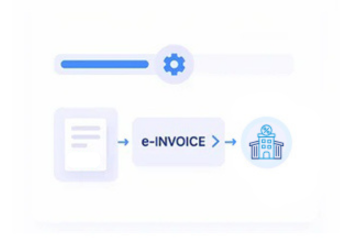
- Electronic Invoice Exchange: Send invoices through configured EDI, API, or supported electronic channels while recording available responses.
- Accounting Reconciliation: Compare exchange results with Macola ERP financial records to identify discrepancies, unmatched transactions, and follow-up items.
What Does Advintek Add to Macola ERP in USA
Advintek provides an external e-invoicing and document-processing layer around Macola ERP, helping connect established billing records with structured electronic invoice workflows without replacing the ERP.
- Extract Macola Invoice And Customer Data
- Map Tax, Payment, And Accounting Fields
- Prepare Structured Electronic Invoice Records
- Track Exchange Responses With Transactions
Why Macola ERP Users Need E-Invoicing Support in USA
- Invoice Data Consistency: Keep billing, customer, product, payment, and tax information aligned as invoice records move through electronic processing.
- Tax Information Organization: Arrange sales-tax values, taxable amounts, customer locations, invoice details, and related fields for configured USA billing workflows.
- Document Traceability: Maintain connections between invoices, orders, shipments, returns, credit memos, and other commercial records.
- Pre-Exchange Verification: Review invoice fields, totals, identifiers, tax information, and required references before sending documents electronically.
- Exception Review: Surface rejected documents, missing information, mismatched values, failed exchanges, and other processing issues for finance teams.
- Multi-Entity Invoice Processing: Handle electronic invoice activity across multiple companies, locations, departments, and business units while retaining Macola ERP source references.
USA E-Invoicing Controls for Macola ERP
Invoice Data Validation
Review buyer, seller, tax, totals, payment, and reference fields before electronic invoice transmission.
Exchange Status Tracking
Monitor invoice preparation, transmission, delivery, acceptance, rejection, and exception statuses across configured channels.
Electronic Record keeping
Maintain structured invoices, response messages, transaction references, and supporting records for finance and audit review.
E-Invoice Support for Macola ERP Workflows in the USA
Manufacturers, distributors, wholesalers, and other organizations using Macola ERP can connect existing order-to-cash and billing processes with structured electronic invoicing workflows for USA customers and trading partners.
- Continue Macola ERP Invoice Generation Workflows
- Connect Orders, Shipments, Billing, And Payments
- Prepare Structured Data For Electronic Exchange
- Support EDI, API, And Invoice Channels
Structured USA Invoice Processing from Macola ERP
Supports structured invoice preparation, exchange, tax mapping, and transaction data handling.
Supporting invoice data preparation and exchange from Macola ERP in USA.
Ready e-Invoice System
FAQs About Macola ERP E-Invoicing in USA
Can Macola ERP data support electronic invoicing in USA?
Yes. Macola ERP can provide invoice, customer, product, quantity, payment, tax, order, and accounting information used for electronic invoice preparation. Advintek can connect these records with configured e-invoicing, EDI, API, or trading-partner workflows while keeping Macola ERP as the source of relevant transaction information.
How does Advintek manage sales-tax information from Macola ERP?
Advintek can map sales-tax amounts, taxable values, customer details, invoice identifiers, addresses, and transaction information from Macola ERP into configured electronic invoice records. This helps finance teams organize tax-related invoice data and review required fields before documents are exchanged with customers or trading partners.
Can Macola ERP invoices be connected with credit memos and adjustments?
Yes. Electronic invoice workflows can associate Macola ERP invoices with credit memos, returns, cancellations, corrections, orders, shipments, and other related transaction references. This creates a connected document trail that can help finance teams review invoice changes, reconciliation differences, and processing exceptions.
Does Advintek replace Macola ERP for USA e-invoicing?
No. Advintek operates as an external invoice-processing layer around the existing Macola ERP environment. Macola ERP can continue handling core billing and accounting transactions while Advintek prepares structured invoice information, supports configured electronic exchange, captures responses, and associates results with source records.
How can Macola ERP users manage electronic invoice records?
Macola ERP users can associate invoice documents with customer data, tax information, order references, payment details, exchange responses, credit documents, and accounting entries. Advintek can help organize these records across configured workflows for invoice review, reconciliation, exception handling, and electronic document management.